

Best Adobe Illustrator Course In Gurdaspur
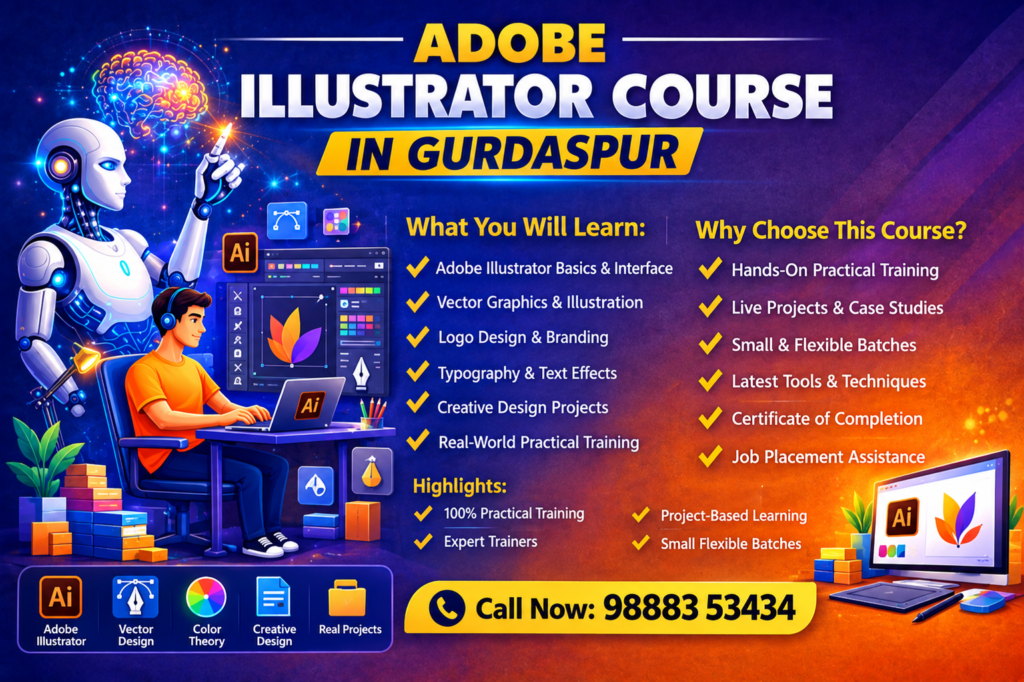
CBA Infotech offers a practical Adobe Illustrator Course in Gurdaspur for students, beginners, aspiring graphic designers, freelancers and professionals who want to develop creative design skills.
The course focuses on learning Adobe Illustrator through hands-on practice, assignments and real-world design projects. Students learn how to create vector graphics, logos, icons, illustrations, typography designs, social media creatives and other professional visual assets.
The training is designed to help beginners understand Illustrator step by step while giving learners practical experience with commonly used design tools and techniques.
What Will You Learn in the Adobe Illustrator Course?
- Adobe Illustrator interface and workspace
- Basic drawing and shape tools
- Pen Tool and Curvature Tool
- Layers and object management
- Vector graphics and illustrations
- Logo design
- Typography and text effects
- Colors, gradients and swatches
- Shapes and path manipulation
- Image tracing
- Brushes and creative effects
- Professional layout techniques
- Social media graphic design
- Print-ready design preparation
- Exporting designs for web and print
- Practical design projects
Adobe Illustrator Course Modules
Module 1: Illustrator Fundamentals
- Introduction to Adobe Illustrator
- Workspace and tools
- Document setup
- Artboards
- Basic shapes and objects
Module 2: Drawing & Vector Design
- Pen Tool
- Pencil Tool
- Shape Builder
- Pathfinder
- Anchor points
- Vector editing
Module 3: Logo Design
- Logo concepts
- Shapes and typography
- Brand elements
- Creating professional logo concepts
- Logo variations
Module 4: Typography
- Text tools
- Character and paragraph formatting
- Font selection
- Text effects
- Typography-based designs
Module 5: Colors & Effects
- Color theory
- Swatches
- Gradients
- Transparency
- Blending modes
- Creative effects
Module 6: Illustration
- Digital illustration basics
- Icons
- Characters and objects
- Custom vector artwork
- Illustration techniques
Module 7: Practical Projects
- Logo design project
- Social media creative
- Poster design
- Business card
- Brand identity elements
- Vector illustration project
Who Can Join the Adobe Illustrator Course?
This course is suitable for:
- Students interested in graphic design
- Beginners with no previous Illustrator experience
- Aspiring graphic designers
- Freelancers
- Social media designers
- Digital marketing professionals
- Business owners
- Students looking to build creative skills
- Professionals who want to improve their design skills
Why Learn Adobe Illustrator?
Adobe Illustrator is widely used for creating scalable vector artwork and professional graphic designs. Learning Illustrator can help students develop practical skills for creating logos, illustrations, marketing graphics, social media designs and print materials.
At CBA Infotech, the focus should be on learning by doing rather than only explaining software features.
Your benefits section:
Practical Training
Work on exercises and design projects while learning Illustrator tools.Project-Based Learning
Create designs that demonstrate your understanding of Illustrator.Beginner-Friendly Learning
Start with the basics and gradually move toward professional design techniques.Expert Guidance
Get guidance while practicing tools, techniques and design concepts.Portfolio Development
Build practical design work that can be presented as part of your portfolio.Certificate
Provide the actual certificate details here only if the certificate is genuinely provided.
Career Opportunities After Learning Adobe Illustrator
Adobe Illustrator skills can be useful in roles and freelance work such as:
- Graphic Designer
- Illustrator
- Logo Designer
- Brand Identity Designer
- Social Media Designer
- Marketing Designer
- Print Designer
- Visual Designer
- Freelance Graphic Designer
Avoid promising guaranteed jobs or guaranteed income. Instead, explain what skills the course develops.
Projects You Can Create During the Course
Give the visitor a visual reason to enroll.
- Professional logo
- Business card
- Social media post
- Promotional banner
- Poster
- Brochure design
- Vector illustration
- Icon set
- Brand identity concepts
- Typography artwork
If possible, show actual student/coursework images here. This will improve UX significantly.
Best 45 Days Industrial Training In Gurdaspur
- Duration: 45 Days
- Lessons: 45
- Projects: 4
- Language: English-Hindi
- ISO Certified Certificates
An Adobe Illustrator course teaches you how to use Adobe Illustrator for creating vector graphics, logos, illustrations, typography, marketing designs and other creative artwork.
Yes. Beginners can start with the basic tools and gradually learn more advanced design techniques through practical exercises and projects.
You can learn vector graphics, drawing tools, Pen Tool, typography, colors, gradients, logo design, illustration, image tracing, layouts and professional design techniques.
No. Basic computer knowledge is helpful, but previous graphic design experience is not required for beginner-level training.
Yes. Illustrator provides tools that can be used to create vector-based logos, icons, typography and branding elements.
Yes. Illustrator can be used to create social media graphics, promotional creatives, icons, illustrations and other visual content.
Industrial Training Course Modules
CBA Infotech Gurdaspur offers a well-structured industrial training program focused on practical learning and industry requirements.
Foundation Module
Introduction to IT Industry
Computer Fundamentals
Programming Basics and Logic Building
Software Installation and Setup
Core Programming
Python Programming
Java Programming
C and C++ Basics
Object-Oriented Programming Concepts
Web Development
HTML, CSS, JavaScript
Responsive Website Design
Frontend and Backend Development
Frameworks like React and Django
Advanced Technologies
Data Science Fundamentals
Artificial Intelligence Basics
Machine Learning Introduction
MERN Stack Development
Tools and Technologies
Git and Version Control
Database (SQL Basics)
Debugging and Testing
API Integration Basics
Practical Training
Live Project Development
Real-Time Case Studies
Assignments and Practice Tasks
Project Presentation
Soft Skills and Career Development
Communication Skills
Resume Building
Interview Preparation
Personality Development
Certification
Industrial Training Certificate
Project Completion Certificate
Training Duration
45 Days Training (Short-Term)
6 Months Training (Training + Internship)
Industrial training at CBA Infotech opens multiple career paths and helps students become job-ready.
IT and Software Careers
Software Developer
Web Developer
Frontend or Backend Developer
Python or Java Developer
Data and AI Careers
Data Analyst
Data Scientist
Machine Learning Engineer
Digital and Creative Careers
SEO Executive
Social Media Manager
Digital Marketing Specialist
Graphic Designer
Freelancing Opportunities
Work on global platforms
Web development and design projects
Digital marketing services
Content creation
Internship and Industry Exposure
Work on live projects
Gain real company experience
Improve practical knowledge
Job Opportunities
IT companies
Private organizations
Startups and small businesses
Entrepreneurship Opportunities
Start your own IT company
Open a digital marketing agency
Begin freelancing business
Launch your own training institute
Career Growth and Skill Development
Improve technical expertise
Develop communication skills
Enhance problem-solving ability
Build professional confidence
Higher Education and Certifications
Advanced IT courses
Professional certifications
Degree and diploma programs
Global Career Scope
Remote job opportunities
Work with international clients
Work-from-home careers
Start your journey with the Best Industrial Training in Gurdaspur at CBA Infotech and build a successful career in the IT industry.